
SAP - Change the credit limit for a customer
May 13, 2022
This is everything, but not straight forward. If you don’t select the checkboxes as discribed in step 2, it might not work.
- Go to transaction FD32
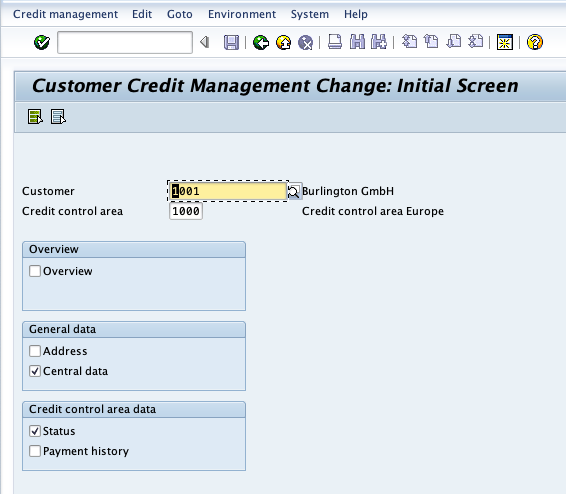
- On the initial screen, enter customer number, credit control area and - very important - select exactly the two checkboxes for “Central Data” and “Status”
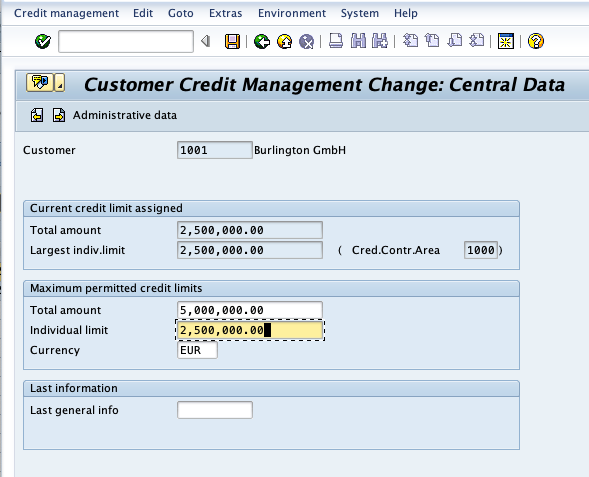
- Enter the Individual Limit and press return
- Enter the Credit Limit and click save
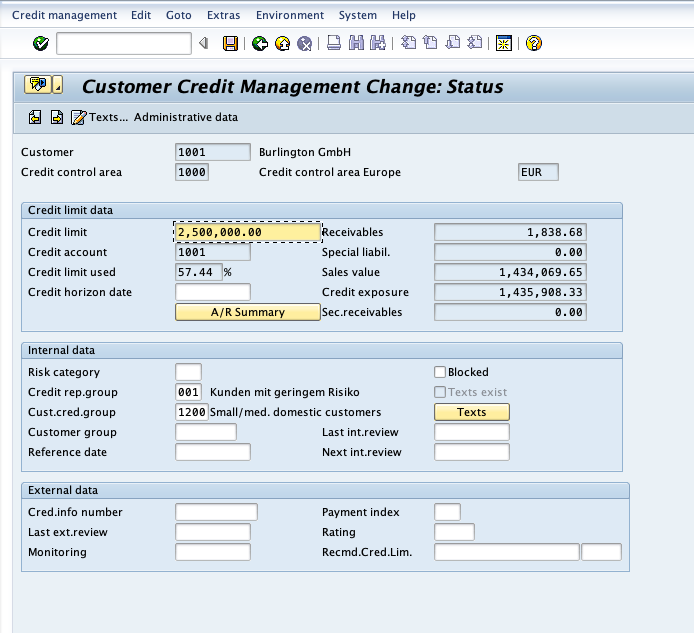
Done.