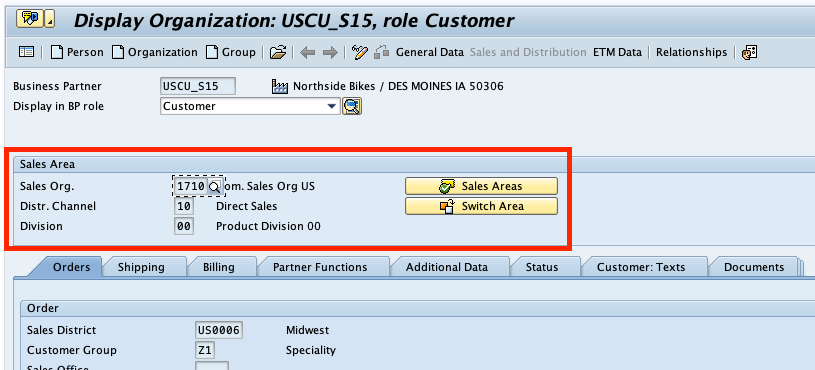
How can I find the Sales Area information for a business partner in SAP?
May 04, 2022
Follow these steps in the SAP GUI.
- Go to transaction BP
- Enter the business partner number or search for the partner by other criteria.
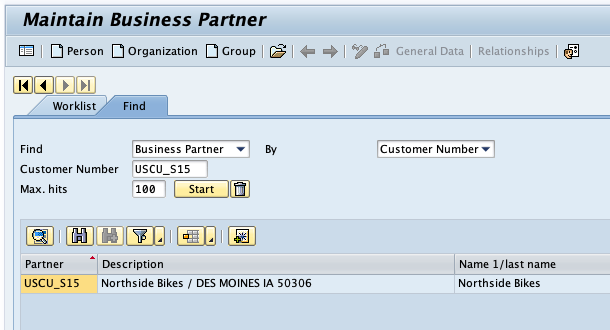
- After selecting the start button, you will see the matching business partners in the table below. Double-click on the one you want to open.
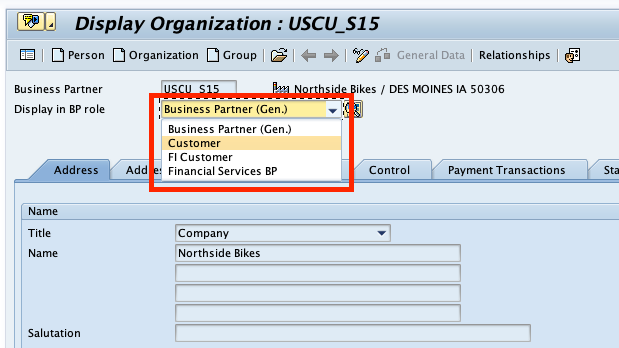
- When you are on the business partner details dialog, check the field Display in BP role. If Customer is not selected, please do so.
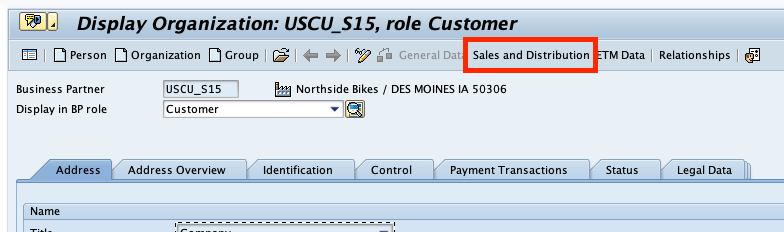
- When Customer is selected, the button Sales and Distribution is visible. Select it.
- On the Sales and Distribution dialog you will find the section Sales Area, where you will find the required information.